


Accessing Betsson from a smartphone or tablet is designed to be quick, but a smooth login depends on using the correct website, remembering your account details, and meeting UK access requirements. This Betsson online casino mobile review explains how to sign in safely, what to do if access fails, and which features are available after logging in.
Betsson mobile login at a glance
UK players can usually access Betsson Casino through a mobile browser rather than downloading a separate application. The mobile site adjusts to smaller screens and provides access to casino games, account management, deposits, withdrawals, bonuses, and customer support.
| Requirement | What you need |
|---|---|
| Device | Compatible smartphone or tablet |
| Connection | Stable Wi-Fi or mobile data |
| Account | Registered Betsson username or email and password |
| Location | Access from within the United Kingdom |
| Verification | Any requested identity or security checks completed |
How to log in on a mobile device
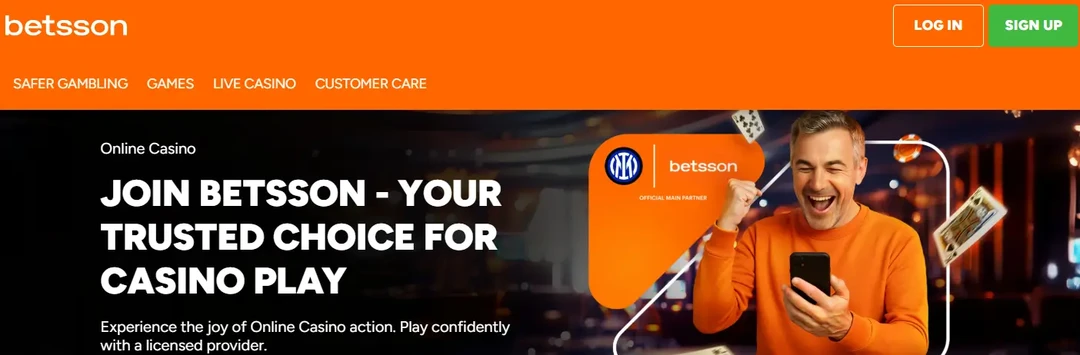
Open the official Betsson website
Launch Safari, Chrome, or another trusted mobile browser and enter the official Betsson web address manually or use a saved bookmark. Avoid links from unsolicited emails, social media messages, or unfamiliar promotional pages. Checking the address bar before entering personal information helps reduce the risk of visiting a misleading copycat site.
Select the login option
On the mobile homepage, look for the Log in, Sign in, or account icon. It is commonly displayed near the top of the page. Tapping it should open a compact login panel or a dedicated account screen.
Enter your account credentials
Type the email address, username, or other identifier connected to your Betsson account. Then enter your password carefully. Mobile keyboards can automatically add spaces or change capitalisation, so review both fields before submitting them.
Complete additional security checks
Betsson may request an email code, text-message confirmation, or another security step. Follow the instructions displayed on screen and do not share verification codes with anyone claiming to represent customer support.
Confirm successful access
After authentication, your account balance, profile menu, and casino lobby should become available. If the page keeps returning to the login form, refresh the browser once and check whether cookies or JavaScript have been disabled.
What can you do after logging in?
The mobile account area generally provides access to the main services available on the desktop version. The exact layout can vary according to device, browser, account status, and current Betsson policies.
- Browse slots, table games, live casino, and other available titles.
- Check balances, transactions, bonuses, and wagering requirements.
- Make deposits using supported UK payment methods.
- Request withdrawals and review their status.
- Update personal details and security settings.
- Contact customer support.
- Set deposit, loss, session, or other responsible-gambling limits.
Some games may require additional loading time on mobile, particularly live dealer tables or graphically intensive slots. Closing unused browser tabs and using a reliable connection can improve performance.
Forgotten password or username
If you cannot remember your password, choose the password-reset link on the login screen. You will normally need to enter the email address associated with the account and follow a link or code sent by Betsson.
Check your spam or junk folder if the message does not arrive promptly. It is also worth confirming that you entered the same email address used during registration. Repeatedly entering incorrect credentials may temporarily restrict access, so avoid guessing many times in succession.
If you no longer have access to the registered email address or mobile number, contact official Betsson support. Be prepared to answer account-verification questions, but never send your full password or payment-card PIN.
Common mobile login problems
Incorrect details message
Check spelling, capital letters, and accidental spaces. If your browser has filled in an old password, delete the saved entry and type the current one manually. A password manager can help prevent repeated errors, provided the device itself is protected.
Page will not load
Test another trusted browser, switch between Wi-Fi and mobile data, and clear temporary browser data. Outdated operating systems or browsers can also cause compatibility problems. Installing the latest official updates may resolve display and authentication issues.
Account access is restricted
Betsson can limit access while verifying identity, reviewing unusual activity, or checking compliance information. A restricted account may require documentation or a response to a message from the operator. Follow the instructions provided through official account channels.
Location or VPN warning
UK gambling services use location and regulatory controls. A VPN, proxy, or travelling outside the permitted jurisdiction may interfere with access. Turn off location-masking tools and use the service only where Betsson is authorised to offer it.
Verification code has expired
Request a new code and use the latest message, since older codes may stop working; Make sure your phone has a signal and that your device time is set correctly. If codes continue to fail, customer support can investigate the account.
Questions and answers
Do I need a Betsson mobile app?
Not necessarily. A compatible mobile browser can provide access to the Betsson website. If Betsson offers an official app for your device and UK account, download it only from an authorised app store or a link provided on the official website.
Can I stay logged in?
Some browsers offer a remember-me option, but this should be used cautiously. Avoid enabling it on shared or public devices. Always log out after using a phone that other people can access.
Why is my balance not visible immediately?
A slow connection, incomplete page loading, or an active maintenance period may delay account information. Refresh the page once and check your transaction history. Do not repeat a deposit while a previous payment is still processing.
Can I log in while travelling?
Access depends on Betsson’s terms, licensing requirements, and your physical location. A UK account may not function normally when used abroad. Do not attempt to bypass geographic restrictions with a VPN; contact support before travelling if you need clarification.
Is biometric login available?
Biometric access may be supported by your device, browser, or an official Betsson application, but availability can change. Even when fingerprint or facial recognition is enabled, keep your primary password secure and maintain device protection.
Safety and responsible access
Logging in safely is only part of protecting an online casino account. Use a unique password that is not shared with email, banking, or social-media accounts. Enable available security features, keep your operating system updated, and avoid signing in through public computers.
Review your account activity regularly. If you notice an unfamiliar login, transaction, or profile change, contact Betsson immediately and change your password from a secure device. Never allow another person to gamble using your account, since the account holder remains responsible for activity under the account.
UK players should also use the responsible-gambling tools offered by the operator. Set limits before playing, take breaks, and treat casino games as entertainment rather than a way to earn income. If gambling stops feeling controlled, use available cooling-off or self-exclusion options and seek independent support.
Mobile experience after login
Betsson’s responsive mobile design is convenient for checking an account and launching games without a desktop computer. Menus are generally arranged around the casino lobby, payment section, promotions, and profile settings. Touch controls are straightforward, although smaller screens can make detailed game information or live-chat conversations less comfortable than on a larger display.
Players should read the rules, minimum stakes, maximum wins, bonus conditions, and game-specific information before wagering. Mobile loading speed can vary by network, so allow the game to finish loading before pressing buttons repeatedly. This is particularly important when using payment pages or live casino tables.
Final verdict
Logging in to Betsson Casino Mobile in the UK is usually a simple process: open the official site, choose the login option, enter your credentials, complete any security check, and confirm that your account dashboard has loaded. Most difficulties relate to forgotten passwords, browser settings, unstable connections, location tools, or incomplete verification.
For the safest experience, use the official website or authorised application, avoid public devices, protect your credentials, and follow UK access requirements. Once signed in, the mobile platform provides a practical way to manage an account, explore casino content, and use responsible-gambling controls wherever you are permitted to play.
